
AI Follow-Up & Speed to Lead
Missed-Call Text Back: How to Set It Up at Your Clinic Before the Holiday and January Rush
The phones get busiest exactly when your front desk is stretched thinnest. A step-by-step way to set up missed-call text back at your clinic before the holiday and January rush — when the text fires, what the first message says, how it hands off to booking, and how your team picks up the conversation.
It is the first Monday in January. One person is checking in a patient, another is on the line with a caller asking about a program’s cost, and two more calls ring out. One of those callers was an existing patient who wanted to move an appointment. The other had been meaning to call about a weight-loss consult since before the holidays and finally did it on a lunch break. Neither left a voicemail. By the time anyone looks at the call log, the second caller has already rung the next clinic on their list.
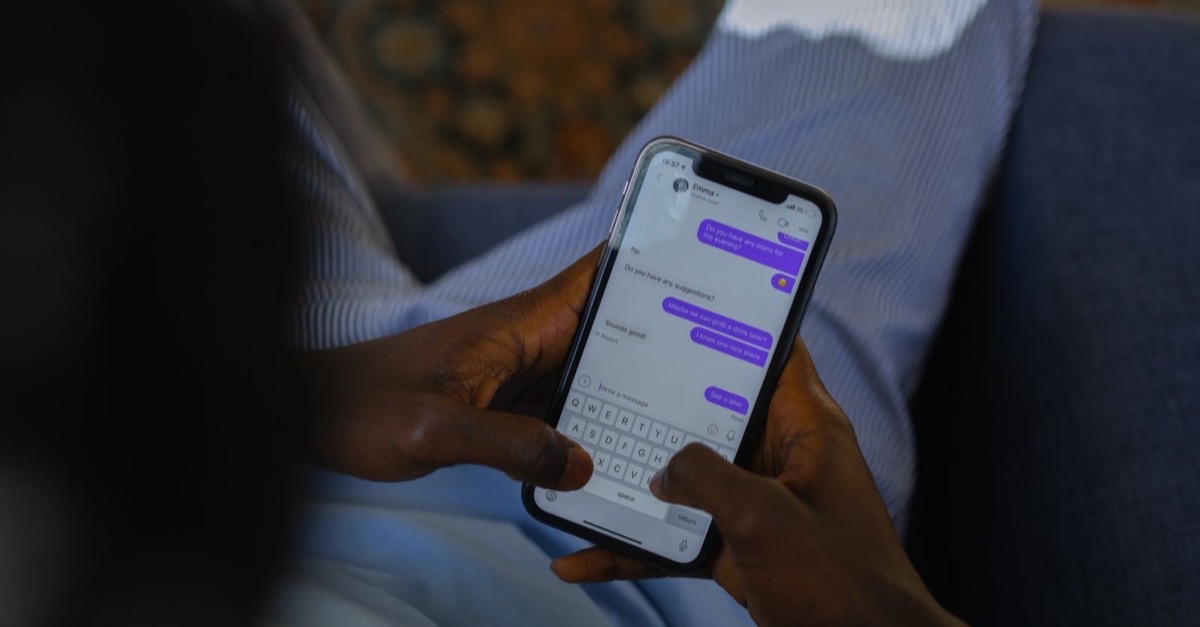
Missed-call text back exists for that moment. When a call to your clinic goes unanswered, the caller gets a short text from your practice number almost straight away, acknowledging the call and giving them an easy next step: book online, reply here, or expect a call back. It does not replace answering the phone. It makes sure that a call nobody could answer still starts a conversation instead of ending one.
Setting it up is not complicated, but the details decide whether it helps or annoys people. This guide walks through it in the order a practice manager would actually do it, with enough lead time to have it tested before the holiday weeks and the January spike arrive.
Why set it up before the holidays rather than in January
Late November through January squeezes a front desk from both sides. Staff take time off, hours change around the holidays, and the clinic may close for a day or two that patients forget about. At the same time, demand tends to arrive in bursts: people with year-end benefits to use, people making plans for the new year, and replies to any reactivation or referral campaign you send in December. The calls that slip through in those weeks are often the ones a clinic most wanted.
There is also a practical reason to start early. Business texting in the US usually needs some setup on the carrier side before messages deliver reliably, and the wording needs sign-off from whoever owns patient communications. Neither is something to rush in the week before a closure. Treat early November as the deadline for having it live and tested.
Before you start: what needs to be in place
- The number patients actually call. Text back should send from the same number the caller dialled, so the reply lands in the same thread and the clinic is recognisable. If you have several numbers — a main line, a campaign tracking number, a second location — list them all and decide which ones it should cover.
- A line that can send business texts. In the US, application-to-person texting from a standard local number generally has to be registered with the carriers (often called 10DLC registration). Your phone or messaging platform usually handles the submission, but approval can take time, and unregistered messages may be filtered or blocked.
- A business associate agreement. Any vendor that sends, receives or stores patient messages on your behalf will be handling information your HIPAA obligations cover. Confirm the agreement is signed before the first message goes out.
- A messaging policy your compliance lead has approved. Rules on texting people who called you, on consent and on opt-outs vary and change. Have whoever handles compliance confirm what your text back may say and to whom, and keep that decision on file.
- A place for replies to land. A shared inbox your front desk already watches — not a personal phone and not a separate portal no one opens on a Saturday.
Step 1: Decide which missed calls should trigger a text
A call can go unanswered in more ways than most clinics realise. Before switching anything on, list them, because each one may need its own rule:
- The call rang out during business hours because everyone was busy.
- The caller hung up during the greeting or the phone menu.
- The caller abandoned the call while on hold.
- The line was busy, or the call rolled to voicemail.
- The call came in after hours, on a weekend or on a holiday closure.
For most practices, every one of these should trigger a text — the daytime rollovers matter as much as the after-hours calls, and in January they may matter more. Then set the exclusions:
- Numbers that are not patients. Labs, pharmacies, referring offices, vendors and your own staff should be on a do-not-text list.
- Repeat calls. Someone who calls three times in ten minutes should get one text, not three. Set a suppression window that suits your clinic.
- Callers who already opted out. If a number has replied STOP to your practice, the system must honour it here too.
- Landlines and blocked numbers. A text to a landline usually goes nowhere. Make sure those calls create a callback task for the team instead of disappearing.
Step 2: Set when the text fires — and which version goes out
The text should arrive while the caller still has their phone in their hand — within a minute or so of the missed call is a sensible target. Wait longer and it reads as an afterthought; send it while the phone is still ringing and it can cross with a second attempt to call.
What changes through the day is not the timing but the promise the message makes. A text at 11 a.m. can say someone will call back shortly. A text at 9 p.m. on Christmas Eve cannot. Set up a version for each situation, tied to your actual calendar of hours and closures:
| Situation | What the text should do | What it should not do |
|---|---|---|
| Business hours, team busy | Apologise briefly, offer the booking link, say a team member will follow up today | Promise a callback time the front desk cannot keep on a busy day |
| After hours or weekend | Say when the clinic reopens, offer the booking link, invite a reply | Imply anyone is reading replies overnight if no one is |
| Holiday closure | Name the closure and the reopening date, offer the booking link | Leave the caller guessing whether the clinic is open at all |
| Peak weeks (late December, early January) | Same as business hours, with the booking link first | Push a promotion in a message that exists to answer a missed call |
Put the holiday dates into the system now, not on the morning of the closure. The most common failure in the holiday weeks is a text that cheerfully promises a same-day callback from a clinic that is closed until Monday.
Step 3: Write the first message
The first text has one job: get the caller to the next step without making them call again. That means it should be short enough to read in a glance and specific enough that the caller knows who it is from and what to do. A good first message:
- names the clinic in the first few words, so it does not look like spam;
- acknowledges the call without guessing why they called;
- gives one clear next step, with the booking link if there is one;
- says what happens if they reply, and when;
- includes opt-out wording such as “Reply STOP to opt out”, as your messaging policy requires;
- contains no clinical information, no treatment names tied to the caller and nothing about their health.
Three templates to adapt, with your clinic’s name and links in place of the brackets:
Read every version aloud as if you were a patient who has never heard of the clinic. Internal phrases — “NP consult”, “f/u”, “per our policy” — creep into automated messages easily and then go out to every caller. Rewriting clinical shorthand in patient-facing messages covers how to catch that before it ships.
Step 4: Hand off to appointment booking
The booking link is what turns a missed call into a scheduled visit without anyone picking up the phone. It only works if the page behind it is ready for the caller who taps it at 8 p.m. on their phone:
- It opens your real calendar. Live availability with your appointment rules — visit type, provider, location, length — not a request form that someone has to confirm in the morning.
- New patients see new-patient options. Lead with the consult or first visit most new callers are after. A list of every appointment type the clinic offers is a lot to ask of someone on a lunch break.
- Existing patients have a route too. Many missed calls are reschedules. Make it obvious how an existing patient moves a visit, or ask them to reply and let the team handle it.
- The form stays short. Ask for what you need to hold the slot. Intake paperwork can follow in the confirmation, not stand in front of the booking.
- Confirmation and reminders follow automatically. A booked slot should trigger the same confirmation and reminder sequence as any other booking, so the visit stays on the calendar.
Some callers will reply with a question instead of booking. That is fine — a reply is a conversation the team can pick up. If you use an AI chat or text assistant to respond, limit it to what it has been approved to answer, such as hours, location, how to book and general program information, and have it hand over to a person for anything else.
Want this mapped to your own practice?
A free marketing audit looks at the real path from inquiry to booked appointment in your clinic — and tells you where it is leaking.
Step 5: Decide how staff pick up the conversation
This is the step practices skip, and it is the one that decides whether text back helps. An automated text that invites a reply creates an obligation to answer it. Before going live, agree the following with the front desk:
- One shared inbox. Replies arrive where the team already works, with the caller’s history beside them, and are visible to whoever is covering.
- An owner for every shift. Name who watches the inbox in the morning, at lunch and in the last hour of the day — including who covers the holiday weeks when the usual person is away.
- A reply standard. Set how quickly a reply during business hours should get a human response, and how the overnight replies are cleared first thing in the morning. Choose a standard your team can keep in January, not just in a quiet week.
- Automation steps back when a person steps in. Once a staff member replies, any automated follow-up to that caller should pause, so the patient is not talking to a person and a sequence at the same time.
- Clear routing for what the front desk should not answer. Clinical or medication questions go to the clinical team by the route your providers have approved; billing questions go to billing. The front desk’s reply acknowledges the question and says who will follow up.
- A note in the record. Tag each conversation — new inquiry, existing patient, reschedule, other — so the outcome is visible later and nothing waits in limbo.
A practical way to make this stick is to treat the text-back inbox the way you treat the voicemail box: it is checked at set times, it is somebody’s job, and it is empty at the end of the day.
Step 6: Plan around your holiday campaigns and January calendar
Missed-call text back is most useful when it is set up with the rest of your seasonal plan in mind. Three scenarios most clinics will recognise:
A reactivation message in December
A medical weight-loss clinic sends a short note in mid-December to patients who paused a program earlier in the year, inviting them to book a check-in visit in January. Some will reply by text; others will call — often in the evening, after reading it. If those calls go unanswered, text back sends them straight to the booking link with the January dates open. Schedule the campaign for a day the front desk is fully staffed, and warn the team it is going out.
A referral program during the holidays
Patients who mention the clinic to family over the holidays create calls from people who have never contacted you before. Those callers are less likely to leave a voicemail for a clinic they do not know. A clear, friendly first text — with the clinic’s name up front — gives them a reason to stay.
Reviews and the busy first weeks of January
If you send review requests after visits, the same weeks that bring more calls also bring more patients through the door — and more people who might look at your reviews before they call. A missed call that gets a prompt, courteous text is part of the experience those reviews describe. Keep the review request and the missed-call text as separate messages with separate jobs.
Before the holidays, check the coverage plan alongside the message versions: which days are closures, which are short-staffed, who watches the inbox on each, and which campaigns go out when. A text back that promises “we’ll get back to you today” on a day with one person at the desk is a promise worth rewording.
Step 7: Test it the way a patient would
Run test calls before the system is live for real callers, and again after any change to hours or wording:
- Call from a mobile phone during business hours and let it ring out. Check the text arrives, from the right number, with the right version.
- Call after hours and on a date set as a holiday closure. Check the reopening date is correct.
- Hang up during the greeting, and again while on hold. Check both trigger a text.
- Call three times in a row. Check only one text arrives.
- Reply to the text with a question. Check it lands in the shared inbox and someone sees it.
- Tap the booking link on a phone and book a test appointment. Check the confirmation and reminder follow.
- Reply STOP. Check the number is opted out and no further texts are sent.
- Call from a landline. Check a callback task is created.
Step 8: Watch a few numbers through January
You do not need a dashboard full of charts to know whether text back is working. Review a handful of counts weekly through the busy season:
- missed calls, by hour and day of the week;
- texts sent, and how many callers replied or booked;
- appointments booked through the text-back link;
- how long replies waited for a human response;
- opt-outs, as a check on whether the wording or frequency is off.
The pattern of missed calls by hour is often the most useful finding of all. If calls pile up at lunchtime or in the last hour of the day, the fix may be a staffing change or answering coverage for those hours, not more automation. Text back catches what falls through; it should also show you where the gaps are.
Common mistakes to avoid
- Switching it on with nobody watching the replies. An unanswered reply is worse than no text, because the patient now knows someone saw the call.
- One message for every situation. A business-hours promise sent on a holiday weekend undermines trust in the clinic.
- Health details in the text. The first message should never mention a treatment, a condition or anything about the caller’s care.
- A marketing message disguised as a reply. The text exists to answer a missed call. Promotions belong in campaigns the patient has agreed to receive.
- Treating it as a substitute for answering. If text back is handling a large share of daytime calls, that is a coverage problem worth fixing on its own.
Where missed-call text back fits with phone coverage
Missed-call text back is the layer underneath whatever answers your phones — your own team, an answering service or an AI voice agent. Even with full coverage, some callers hang up during the greeting or will not talk to software. How those answering options compare, and which suits which kind of call traffic, is set out in AI voice agent vs. live answering service for after-hours calls.
At Healthy IQ, missed-call text back, a unified inbox and appointment reminders are included in every plan, and they are built to work with the number your patients already call. We map your call flow with you during onboarding and confirm the setup before anything goes live. On the Accelerate and Command plans, AI voice agents through our Tality.ai partnership can answer calls, qualify callers and book into your calendar, with escalation rules you set — so fewer calls go unanswered in the first place.
No setup guarantees bookings. What it can do is make sure the people who already call your clinic in its busiest weeks get a fair chance to become patients. If you are not sure how many calls your clinic misses today, or when, a free marketing audit is a reasonable place to start.
Common questions
Missed-call text back is an automation that sends a short text from your clinic’s number to anyone whose call goes unanswered — whether the line rang out, the caller hung up during the greeting or the clinic was closed. The text acknowledges the call and gives a next step, such as a booking link or an invitation to reply, so the caller does not have to try again. Replies land in a shared inbox where your team picks up the conversation.
It can be set up in a way that fits your HIPAA obligations, but the setup is what matters. Use a vendor that signs a business associate agreement, keep the automated message free of clinical details or anything about the caller’s care, and route replies to a secure shared inbox rather than a personal phone. Have your compliance lead approve the wording, consent approach and opt-out handling before it goes live.
A text to a landline usually will not be delivered, so a good setup does not rely on it. Configure the system so that missed calls from numbers that cannot receive texts create a callback task for your team instead, and check during testing that those tasks appear where the front desk will see them. Calls from blocked or withheld numbers should be handled the same way.
Let's build your next 100 appointments together
Talk to a Growth Specialist about your practice, or start with a free audit of what you already have running.
Related reading

AI Follow-Up & Speed to Lead
AI Voice Agent vs. Live Answering Service: Who Should Answer Your Clinic’s After-Hours Calls?
One takes a message; the other can book the consult. Cost per call, booking, missed-call text back and the call volumes that tip a clinic one way or the other.
14 min read
AI Follow-Up & Speed to Lead
How to Get More Therapy Clients Without Spending More on Ads
A counseling practice with a waitlist on paper and open slots on Thursday is not short of interest. It is losing the inquiries it already has, in the hours nobody is answering.
9 min read
AI Follow-Up & Speed to Lead
Speed to Lead in Healthcare: Why Minutes Decide Who Books
A patient inquiry has a shelf life measured in minutes, not days. Here is where clinics lose them, and what changes when the first reply is instant.
8 min read


Compliance disclosures
Results vary by practice, call volume, and market. Healthy IQ does not guarantee a specific number of new patients, conversion rate, or revenue outcome.
Any patient data used within AI-driven communications is subject to your practice’s HIPAA obligations and applicable business associate agreements — confirm data-handling terms with your Healthy IQ representative before activation.